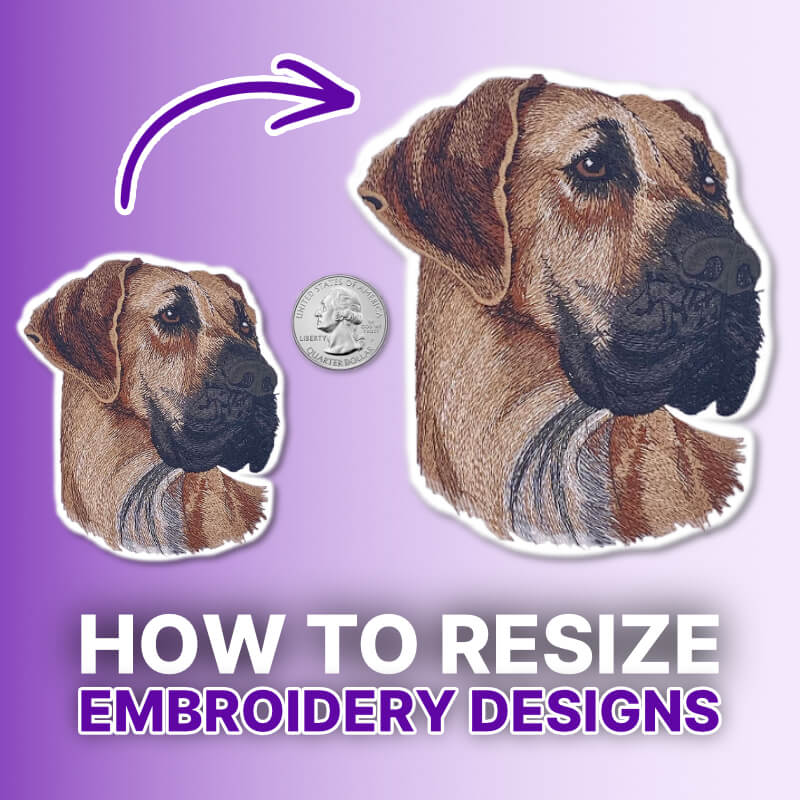
What Does It Mean To Resize an Embroidery Design?
Most embroidery software allows safe resizing within a general range. But stitch types, density, and digitizing decisions ultimately determine how well a design will resize.
For best results:
- Use proportional (percentage-based) scaling
- Avoid extreme size changes without adjusting stitch properties
- Always check the stitch count and stitch length before running your design
Remember: resizing changes how stitches behave—not just how the design looks.
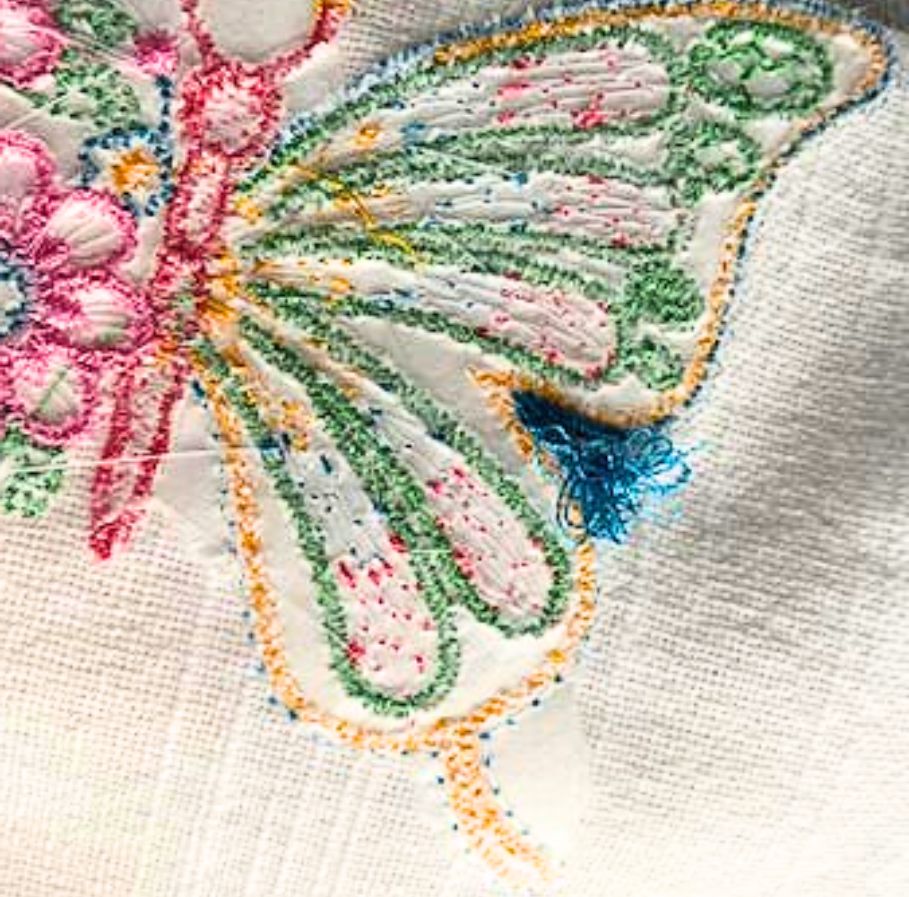
Many beginners run into problems when resizing embroidery designs. A design that looks fine on screen can suddenly cause puckering, thread breaks, and gaps once the machine starts stitching it.
The reason is simple: resizing doesn’t just make a design bigger or smaller, it changes how the stitches behave. Learning how to resize properly is one of the fastest ways to improve your embroidery results.
Over the years, one of the most consistent questions I’ve had is: “how much can you resize an embroidery design?”
I’m always amazed at the range of answers I hear. Some will say, “you shouldn’t resize at all,” some preach safely 10% up or down, others 20%, or 30%. Some resize to the point that there is no limit…
The reality is that there is no one single correct answer. Every digitizer builds embroidery designs differently.
Many embroiderers expect one design to run well on every fabric type. In reality, digitizers need to adjust underlay, density, and pull compensation based on the material they’re working with. Leather and pique knit require completely different recipes if you expect both to stitch properly.
But the real question isn’t what resizing is, it’s how much you can resize a design without ruining the stitch quality.
More of a visual learner? Check out the video below
Want more great embroidery tips and tricks? Subscribe to our YouTube channel now
How Much Can You Resize an Embroidery Design?
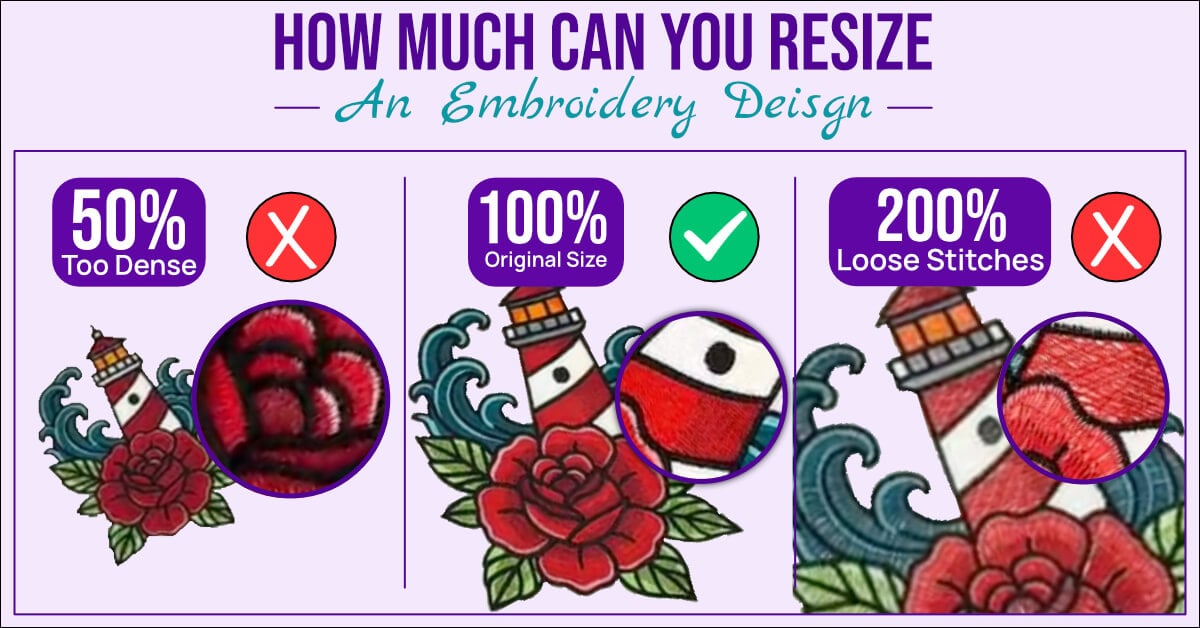
In most cases, you can resize embroidery designs within a reasonable range. But stitch types, density, and other embroidery digitizing decisions ultimately determine how far you can push the design.
With a basic understanding of stitch rules, you can see how these limitations come into play.
In general, designs tend to have a much higher success rate when resized larger rather than smaller.
If a design contains fine details or small text, your ability to reduce the size is extremely limited. Shrinking it will often result in hard stitches and poor-quality results. For example, if a running stitch is already at a .5mm stitch length, reducing the size further can cause excessive stitch density and thread breaks.
The same problem can happen when you increase a design too much. If a design already uses long stitches, enlarging it can push those stitches beyond safe limits.
Double the size, and some stitches can exceed 12.1mm. When that happens, many machines automatically trigger trim commands, which can create sections of invisible embroidery.
But to understand these limits, you need to understand how digitizers build embroidery designs.
Why Some Embroidery Designs Resize Better Than Others
Digitizers build embroidery designs differently, which is why resizing isn’t as simple as choosing a percentage.
Two designs that look similar on screen can stitch out completely differently once the machine embroiders them.
To understand why, you need to look at the decisions the digitizer made when creating the design. Stitch types, density, and overall design structure all play a role in how well a design will scale up or down.
Many beginners assume that resizing is just a simple percentage change. In reality, you’re changing how stitches interact with fabric. That’s where problems like puckering, thread breaks, and gaps begin to appear.
I sometimes feel sympathetic for sewing machine dealers when customers leave with their first machine in hand. Many go online, download random free designs, and quickly run into issues like thread breaks and bird nesting.
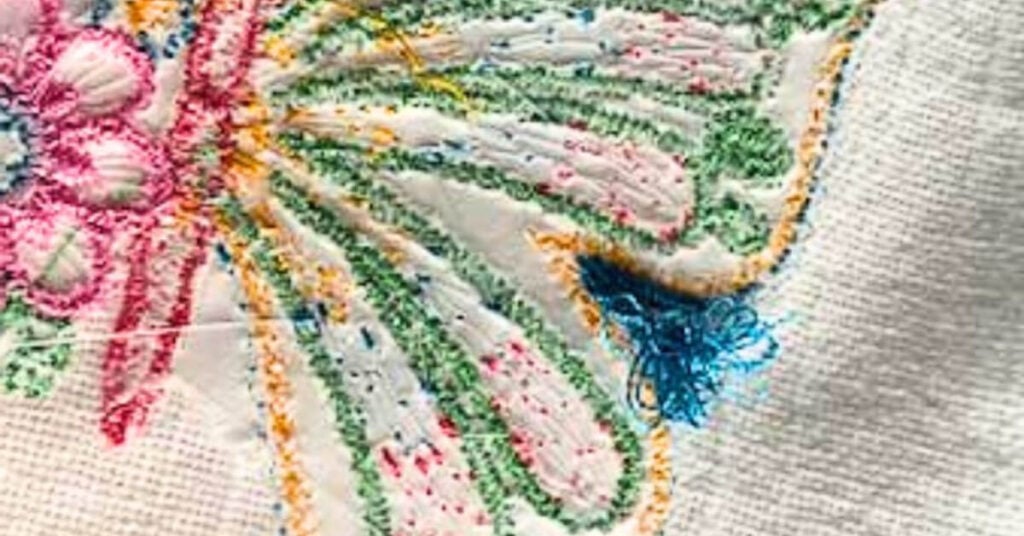
The problem isn’t the machine; it’s the design, and resizing a poorly digitized file will only make the problem worse.
That’s why it’s so important to understand the fundamentals digitizers use to build embroidery designs. When you know what to look for, you can quickly tell whether a design will resize well or cause problems.
All embroidery designs are built using three primary stitch types:
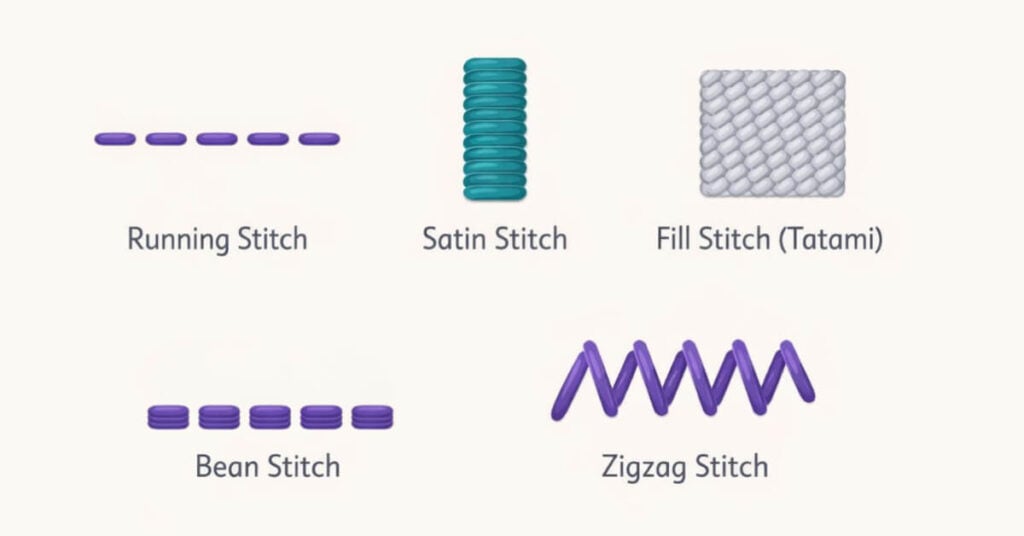
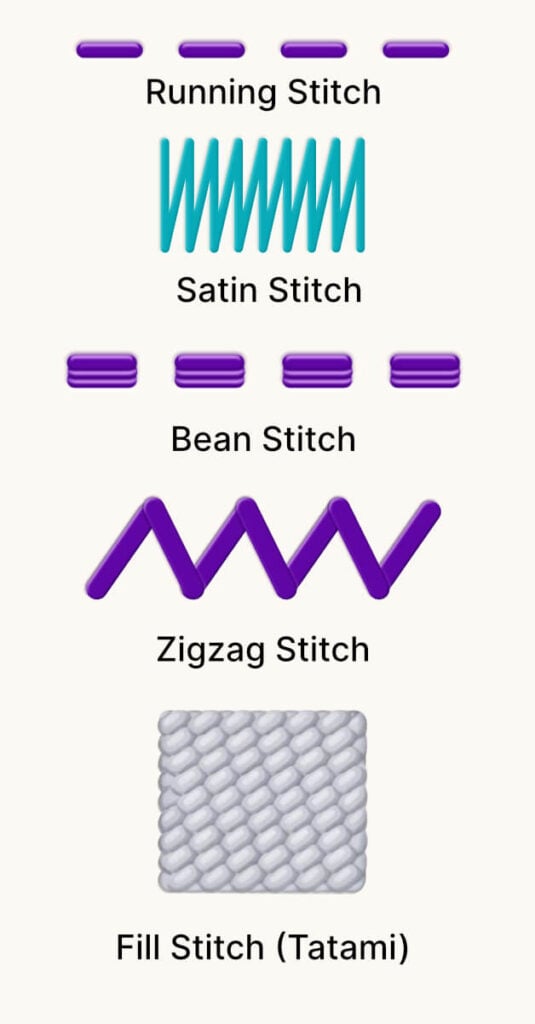
Each of these stitch types follows its own set of rules. When digitizers push those rules too far, especially during resizing, the final stitch-out can show problems.
To keep this practical, let’s focus on one of the most important: the running stitch.
Running Stitch Rules:
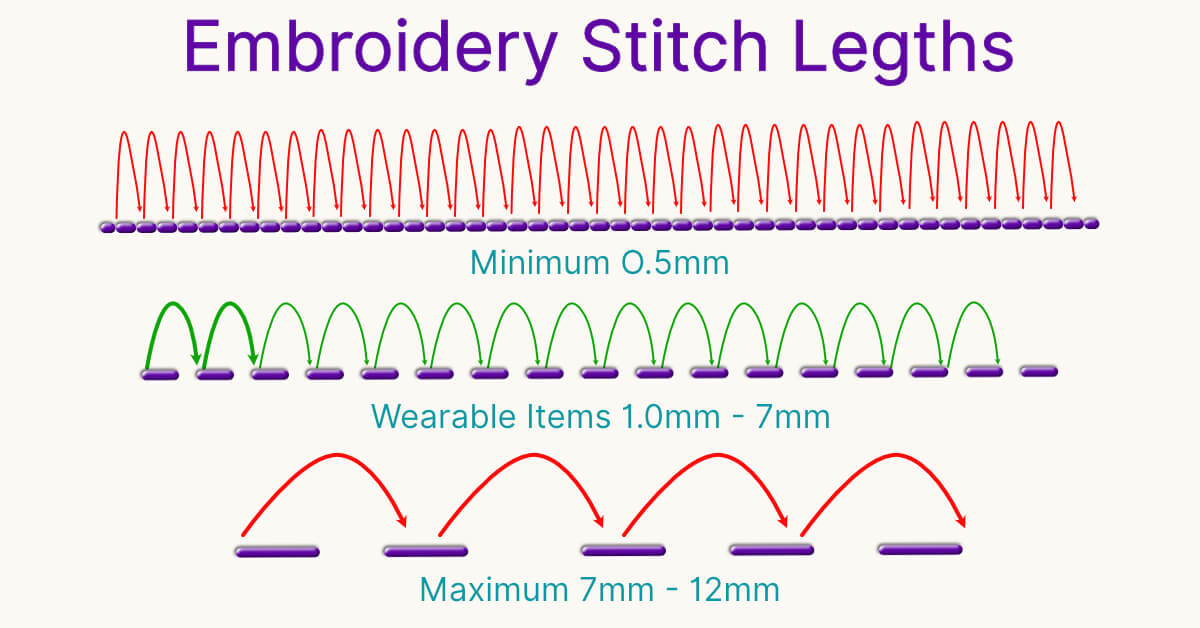
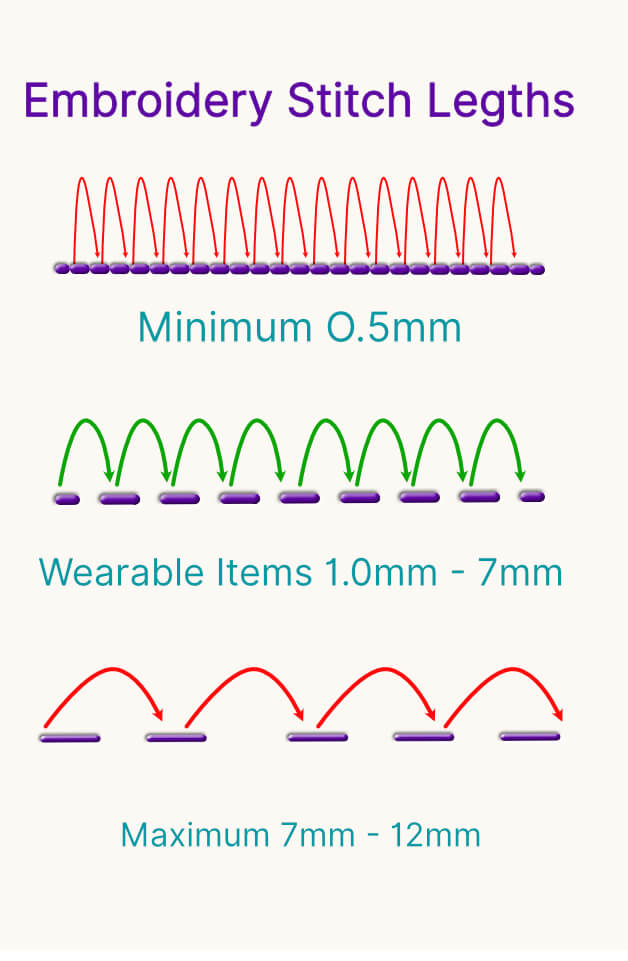
Minimums:
With a running stitch, stitch length is the main setting you control. Stitch length determines how far the needle travels between each stitch.
Every running stitch has safe minimum and maximum limits, and fabric type can change those limits slightly. In most cases, .5mm is the absolute minimum stitch length before the machine starts creating hard stitches and thread breaks.
We need to remember that embroidery machines like movement within the frame. If the needle repeatedly stitches in the same spot, the machine will almost always break the thread. Also, small stitches will assist in creating stitch-intensive (or “bulletproof”) designs. This is one of the biggest culprits of poorly digitized designs, way too many stitch penetrations too close together!
If .5mm is the absolute smallest, then 1mm is safe, and 1.5mm is what I personally aim for when I’m creating designs.
I know a 1.5mm stitch will always embroider smoothly on my machine without creating any hard stitches. Now that we’ve covered the minimum, let’s look at the maximum.
Maximums:
Maximum stitch length depends on how you plan to use the finished item. Wearable and non-wearable items follow different rules.
Wearable items go through frequent washing and wear. If the stitches are too long, the embroidery will eventually lose its shape and can look loose or loopy. That maximum stitch length you’d want to use on a wearable item is 7mm. You can go longer, but it’s asking for trouble.
You can use stitches longer than 7mm, but I only recommend them for non-wearable items that won’t go through repeated washing. Most machines that have trimmers will automatically force a trim command when a stitch goes over 12.1mm in length. The machine will start making individual stitches, followed by trim commands, which create an effect known as invisible embroidery.
The Curveball when Resizing: Native and Machine Formats
Now that I’ve gotten you to a place where you might be saying, ahh, I get it! I’m going to throw you a bit of a curveball.
Resizing becomes much more difficult when you work with machine file formats instead of native embroidery files.
Machine file formats like PES make editing more difficult. They don’t store the same stitch information as native embroidery files.
While you can still make adjustments, resizing machine files often requires extra cleanup and editing to achieve good results.
Native embroidery files give you much more flexibility. Because the software can access the original stitch data, resizing and editing usually produce smoother results. If you digitize your own designs, always save your master files in your software’s native format.
This is exactly why understanding digitizing theory and using the right software matters so much.
You Need Digitizing Theory to Properly Resize Embroidery Designs
In conclusion, there is no magic percentage or ratio for resizing your embroidery designs. Instead, it’s important to remember the age-old theory behind creating smooth-running embroidery designs. Follow these rules to get machine-friendly results:
Running Stitch Length Rules for Smooth Embroidery:
- Minimum Stitch Length: .5mm
- Safe: 1mm
- What I personally aim for when I’m creating designs: 1.5mm
- Maximum Stitch Length: 7mm on wearable items
- Most machines will automatically trim when a stitch goes over 12.1mm.
Hopefully, now you better understand why the digitizing theory matters so much in machine embroidery. While embroidery software continues to evolve, the core rules behind thread, stitches, and fabric have stayed the same.
If you’d like to continue learning these fundamentals, check out our Free Digitizing 101 Course. Even if you never digitize a design yourself, understanding the theory will help you make better decisions with every design you use.
The more you understand what happens beneath the needle, the better your embroidery results will become.