Embroidery digitizing comes with its own language, and for beginners, those terms can feel confusing or overwhelming. This glossary explains the most important embroidery terms in plain English. It helps you follow tutorials, understand software settings, and know why designs stitch the way they do.
This page is a reference, not a step-by-step tutorial. Each definition explains what the embroidery term means and why it matters, without replacing full lessons or training.
This glossary helps you understand what’s happening under the needle. Use it when you’re learning digitizing, reviewing a design file, or following our Free Digitizing 101 Course.
Core Embroidery Digitizing Concepts
Embroidery Digitizing
Embroidery digitizing uses embroidery software to create stitch instructions that an embroidery machine can read and sew. It focuses on building machine-friendly designs that stitch cleanly, run efficiently, and produce professional embroidery results.
Digitizing Theory
Digitizing theory refers to the time-tested rules that explain how thread, fabric, needles, and tension behave during embroidery. Understanding theory helps prevent issues like distortion, puckering, gaps, and misaligned outlines that software alone cannot fix.
Machine-Friendly Designs
A machine-friendly design is digitized to run smoothly on an embroidery machine. Proper sequencing, minimal jumps, and efficient trims reduce thread breaks, improve stitch quality, and save production time.
Soft Embroidery
Soft embroidery describes a finished design that feels flexible and integrated into the fabric rather than stiff or heavy. Achieving soft embroidery depends on correct density, proper underlay, clean pathing, and avoiding unnecessary stitch buildup.
Stitch-Intensive (Bulletproof) Designs
A stitch-intensive, or “bulletproof,” design contains too many stitches layered on top of each other. This often happens when the default density isn’t adjusted. The result is stiff embroidery, thread breaks, and lower overall quality.
Stitch Types Used in Embroidery Digitizing
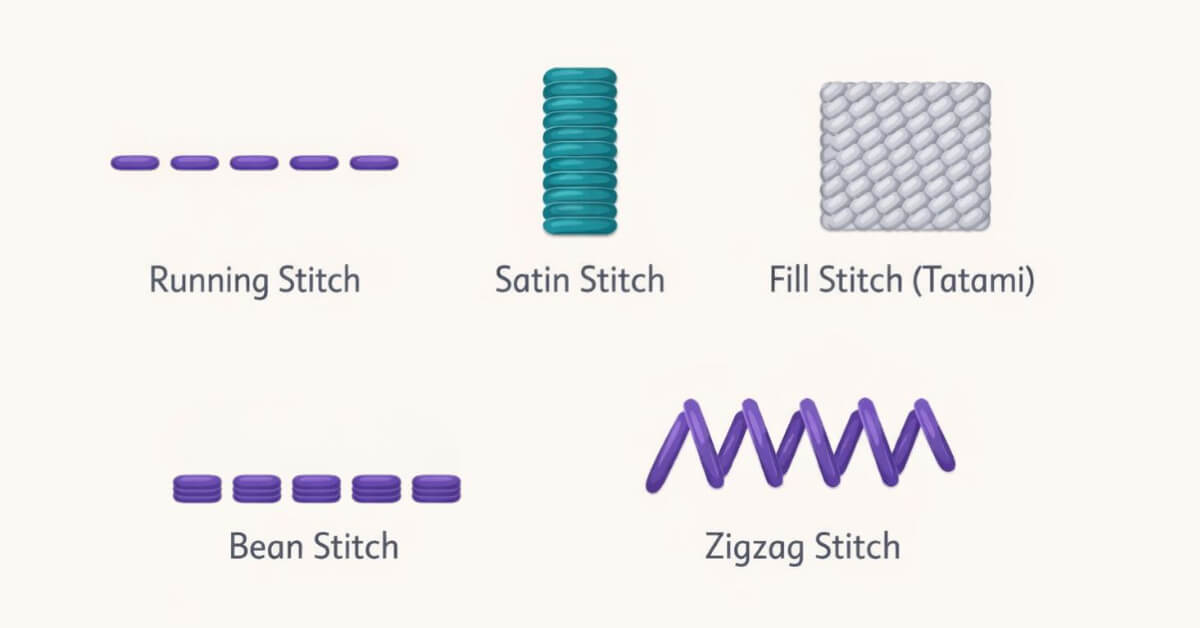
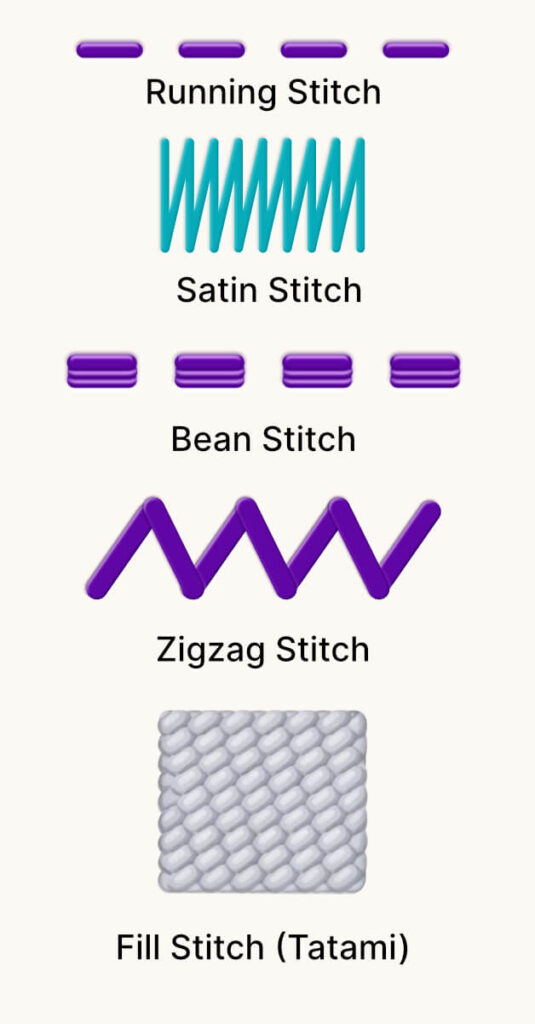
Every embroidery design is built on stitch types. In embroidery digitizing, stitch types control detail, coverage, texture, and durability. Most digitized designs use only a few core stitch types, even though software offers many options.
Running Stitch
A running stitch is the most basic stitch type in embroidery digitizing. It consists of single straight stitches and is commonly used for:
- Fine details
- Outlines
- Placement lines
- And connecting elements within a design
Stitch length plays a key role in how clean and smooth a running stitch appears.
Satin Stitch
A satin stitch is created when the thread passes back and forth across an area to form a smooth, solid column of stitches. Satin stitches are commonly used for:
- Borders
- Lettering
- And shapes where a bold, polished appearance is needed
Width, density, and direction all influence how well a satin stitch performs.
Fill Stitch
A fill stitch is designed to efficiently cover large areas of a design. Instead of tightly packed stitches, fills use longer stitch lengths to create coverage while maintaining flexibility. Proper fill stitching prevents stiffness and distortion, helping garments hold up through wear and washing.
Tatami Stitch
A tatami stitch uses a brick-like, woven fill pattern. You can adjust the direction and spacing to control texture and visual flow. Digitizers use tatami stitches for backgrounds and large shapes that need even coverage.
For more information on stitch types and when to use them, check out our Embroidery Stitch Type guide.
Stitch Properties and Stitch Controls
Stitch properties are the settings that control how stitches behave when sewn onto fabric. In embroidery digitizing, these properties influence stitch quality, coverage, flexibility, and a design’s performance during production. Understanding what these settings mean helps you recognize potential problems before a design ever reaches the machine.
Stitch Length
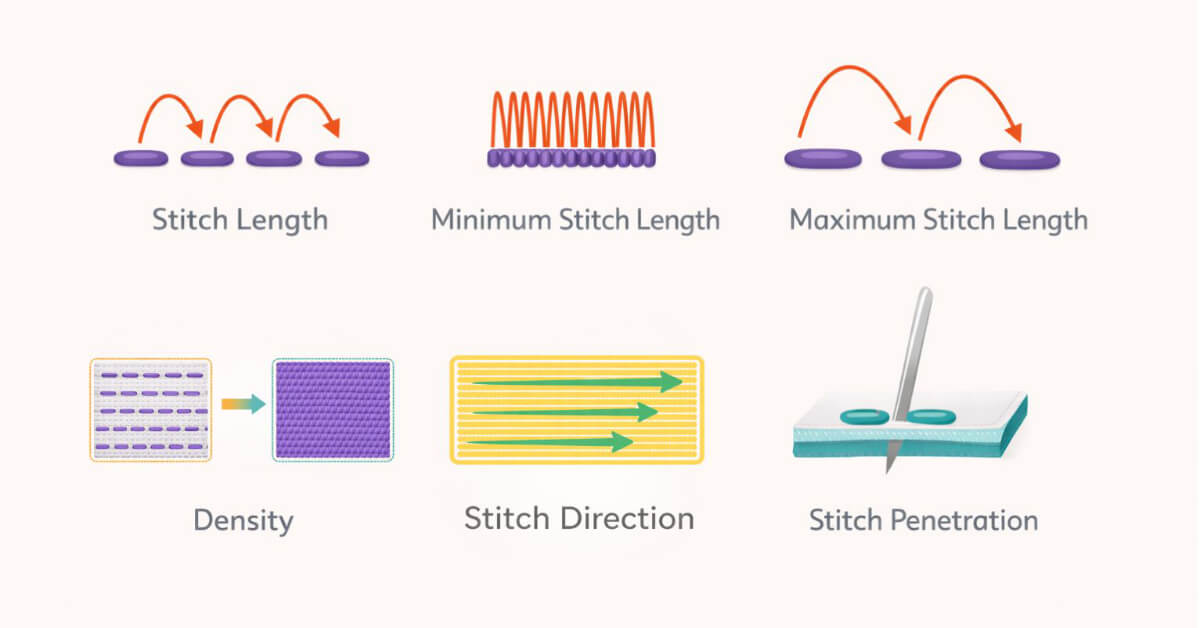
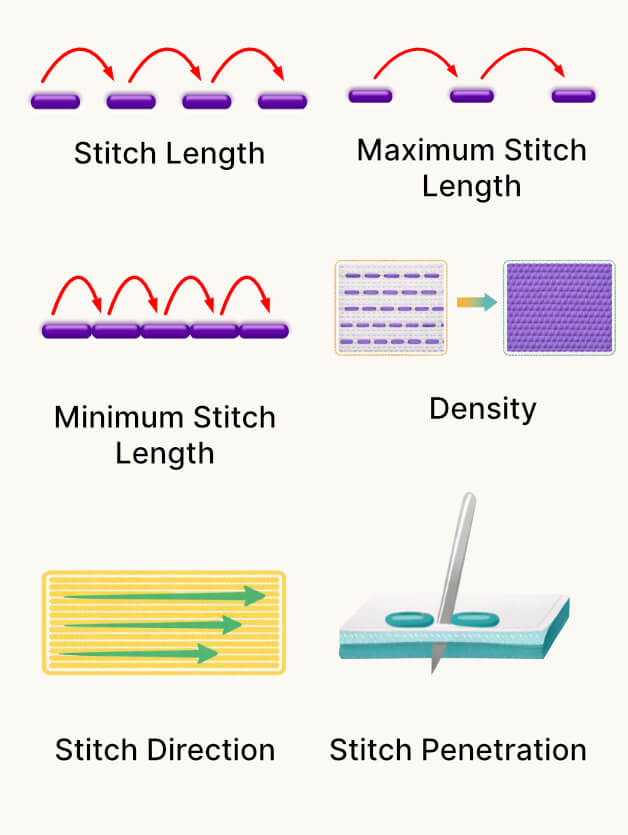
Stitch length refers to the distance between needle penetrations as the needle moves in and out of the fabric. Stitch length affects how smooth, durable, and machine-friendly a design is. Stitches that are too short or too long can cause quality and performance issues.
Minimum Stitch Length
Minimum stitch length is the shortest distance allowed between needle penetrations. Extremely short stitches can cause stitch-intensive areas, thread breaks, and unnecessary stress on the machine. Maintaining safe minimum stitch lengths helps embroidery run more smoothly.
Maximum Stitch Length
Maximum stitch length is the longest distance a stitch can span without causing issues. Overly long stitches can snag on wearable items. On some machines, they can also trigger automatic trims and disrupt stitch flow.
Density
Density is the spacing between stitches within a design. It controls how much thread covers the area and plays a major role in softness and flexibility. Adjust density for the fabric type and laying to avoid stiff, “bulletproof” embroidery.
Stitch Direction
Stitch direction describes the angle at which stitches run within an object. Direction affects texture, light reflection, and how stitches interact with fabric tension. Thoughtful stitch direction contributes to cleaner designs and better visual results.
Stitch Penetration
Stitch penetration refers to each point where the needle enters and exits the fabric. The number and placement of penetrations influence fabric stability and distortion. Excessive penetrations in a small area can weaken fabric and reduce embroidery quality.
Underlay Stitches and Stitch Foundations
Underlay stitches form the foundation of an embroidery design. Although they are not meant to be seen, underlay plays a critical role in:
- Stabilizing fabric,
- Improving coverage,
- And helping visible stitches appear clean and consistent.
Proper underlay supports stitch quality and reduces distortion across many fabric types.
Underlay
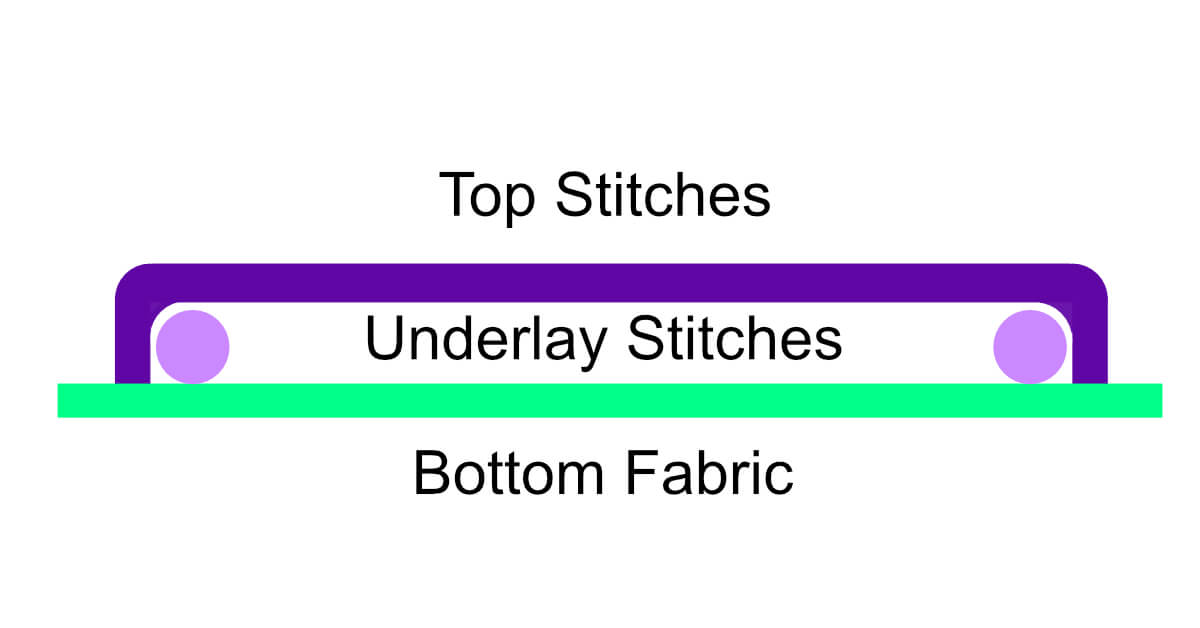
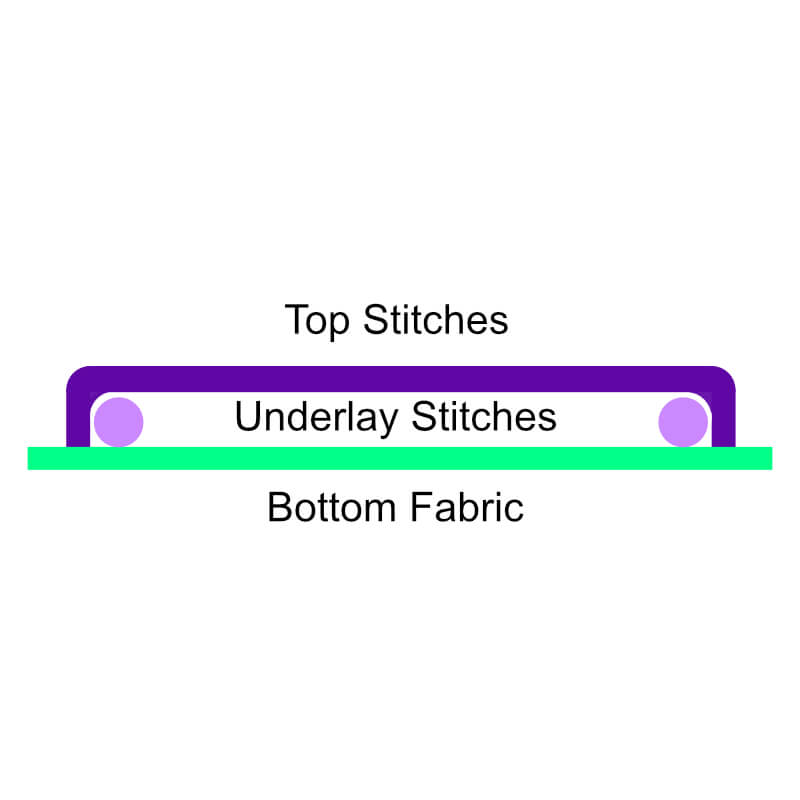
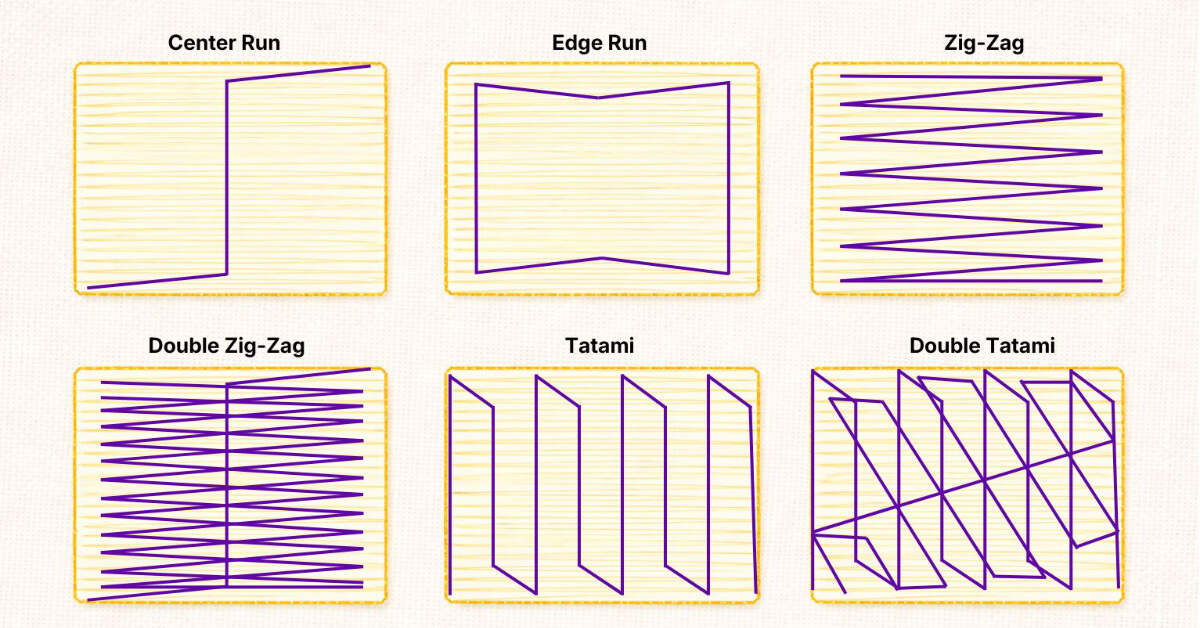
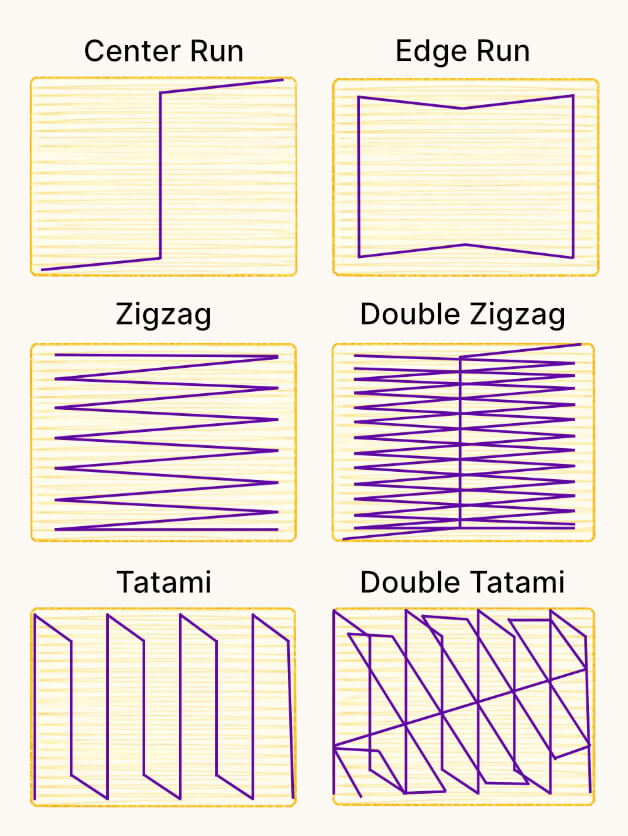
Underlay is a layer of stitches placed beneath the visible stitches in an embroidery design. It helps stabilize the fabric and secure the stitching area. It also creates a foundation that helps top stitches sit smoothly and form clean edges.
Center-Run Underlay
Center-run underlay consists of a single running stitch placed through the center of an object. It helps to stabilize narrow areas and provide light support beneath satin stitches without adding additional bulk.
Edge-Run Underlay
Edge-run underlay is placed along the outer edges of an object. It helps define clean borders and acts as a support wall. This allows the top stitches to form sharper, more consistent edges during embroidery.
Zigzag Underlay
Zigzag underlay uses back-and-forth stitches across an object to add stability and coverage support. Digitizers use it to prevent fabric movement and improve stitch appearance as stitch areas widen.
Double Zigzag Underlay
Double zigzag underlay adds a layer of zigzag support beneath the visible stitches. This underlay adds extra support for larger or wider stitch areas that need more support.
Underlay Direction
Underlay direction refers to the angle at which underlay stitches are laid beneath the design. Direction stabilizes the fabric and controls how top stitches sit. It improves coverage and helps reduce distortion.
Distortion and Compensation Terms
Distortion occurs when embroidery behaves differently on fabric than it appears on screen. Understanding distortion and compensation terms helps explain why shapes shift, outlines misalign, and stitch coverage changes during embroidery. These concepts are central to digitizing theory and apply to nearly every design.
Distortion
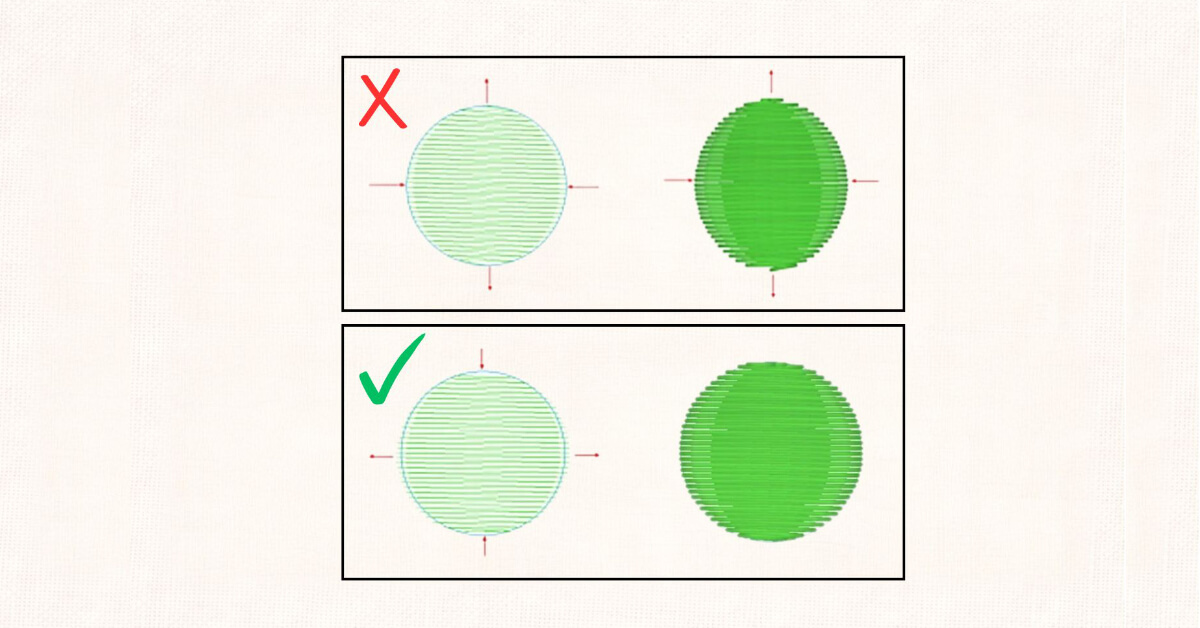
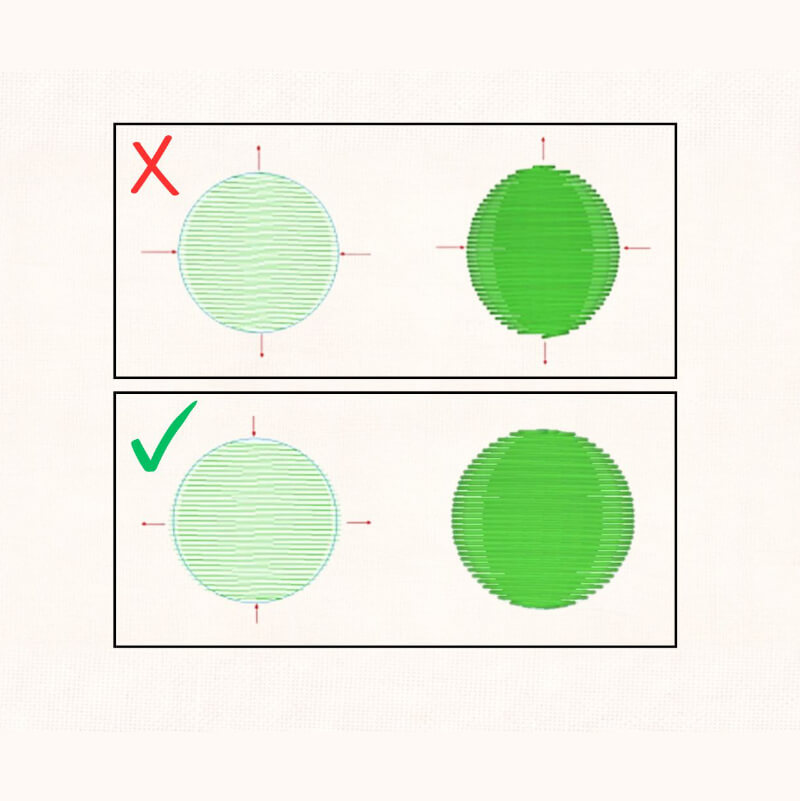
Distortion occurs when stitches shift on the fabric. Thread tension and fabric behavior pull or stretch stitches. Causing the design to misalign from how it looks in the software.
Pull Compensation
Pull compensation is an adjustment used to account for stitches pulling inward as thread tension tightens during embroidery. Wider stitches tend to pull more, and compensation helps maintain the intended shape and coverage of a design.
Push Compensation
Push compensation is the outward movement that occurs at open ends of designs, such as the tops and bottoms of letters. As stitches pull inward, the material can push outward at open areas. This can change the shape and alignment if you don’t account for it.
Learn more about Push & Pull Compensation with our beginner-friendly guide.
Fabric Tension
Fabric tension refers to the forces created by the top thread and bobbin thread as stitches form. Balanced tension allows stitches to lie flat. Improper tension can increase distortion, affect registration, and reduce overall stitch quality.
Registration, Pathing, and Design Flow
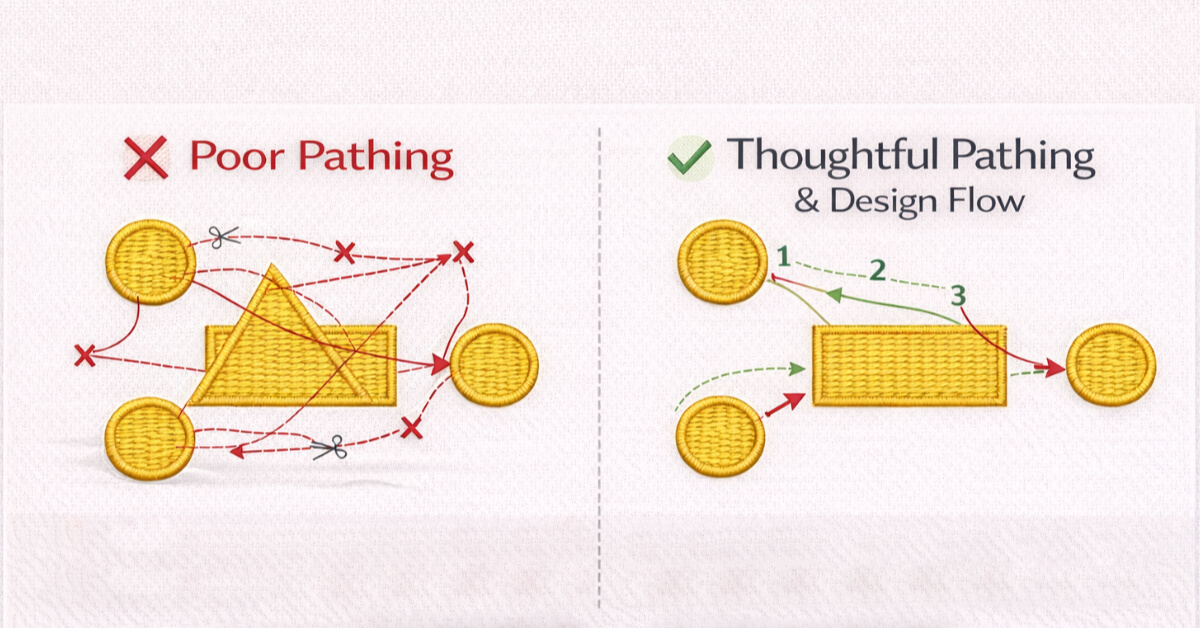
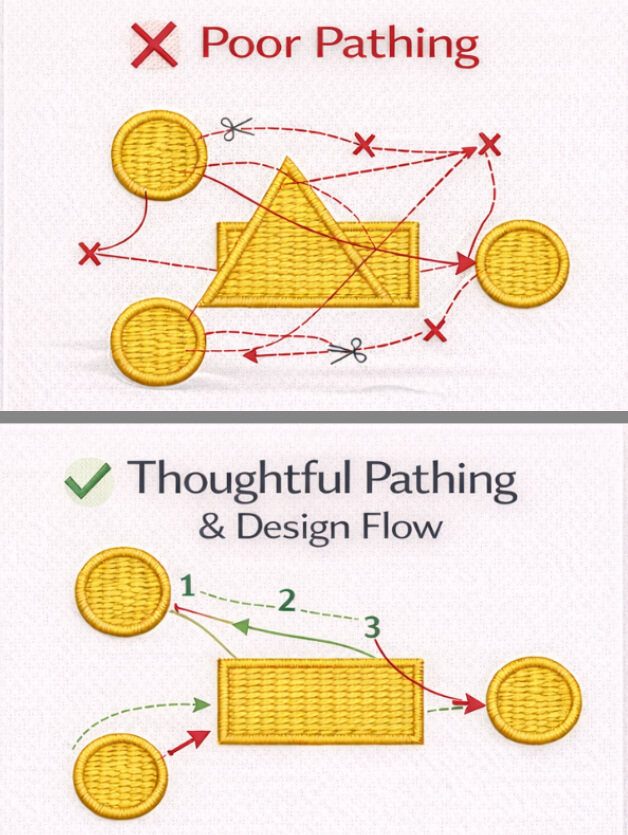
Registration, pathing, and design flow describe how different parts of an embroidery design align and stitch in sequence. These concepts explain why some designs stitch smoothly and accurately, while others jump randomly, misalign, or require excessive trims.
Registration
Registration refers to how accurately different parts of an embroidery design line up when stitched. Good registration means outlines, fills, and details align cleanly, while poor registration results in gaps, overlaps, or misaligned elements.
Pathing & Mapping
Pathing is the stitch route the embroidery machine follows during production, while mapping is the visual planning process that determines that route. Together, they help the design stitch logically, reduce unnecessary movement, and maintain consistent registration.
Travel Stitch
A travel stitch is a low-visibility stitch used to move from one part of a design to another without trimming the thread. Often hidden beneath other stitches to help maintain a clean appearance.
Sequencing
Sequencing refers to the order in which objects, colors, and stitch elements are sewn. Proper sequencing helps maintain registration, reduces unnecessary trims, and supports smooth, machine-friendly embroidery.
Trims, Jumps, and Production Efficiency
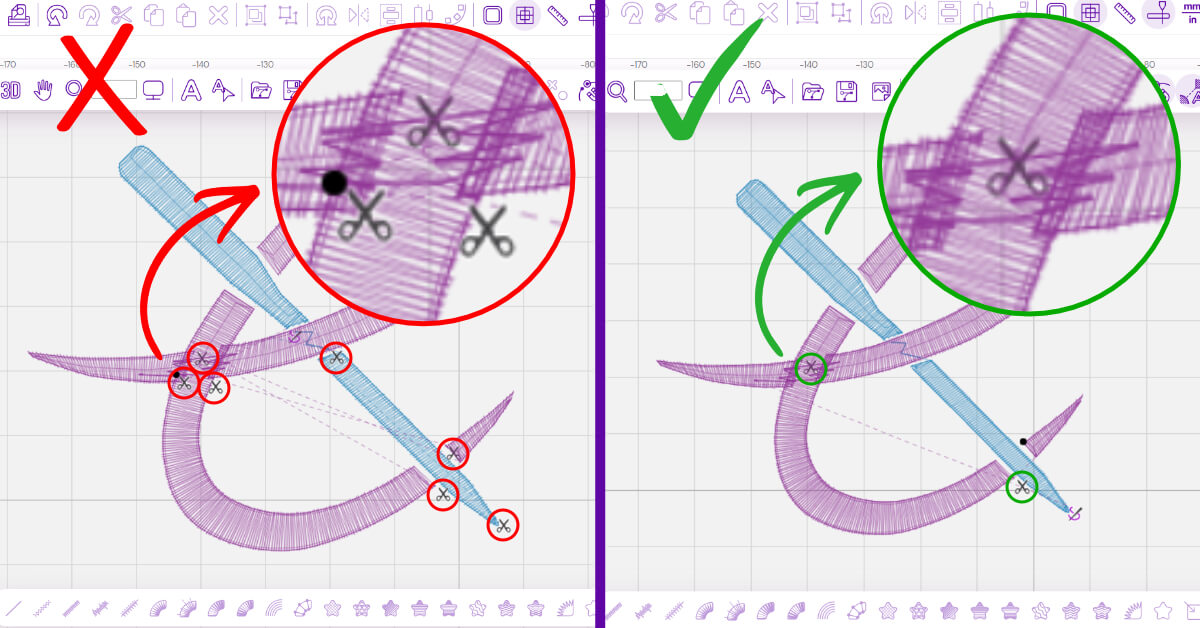
Trims, jumps, and production efficiency relate to how smoothly and efficiently an embroidery design runs on a machine. These concepts don’t change how a design looks on screen, but they strongly affect:
- Stitch time
- Machine wear
- Overall embroidery quality
Trim
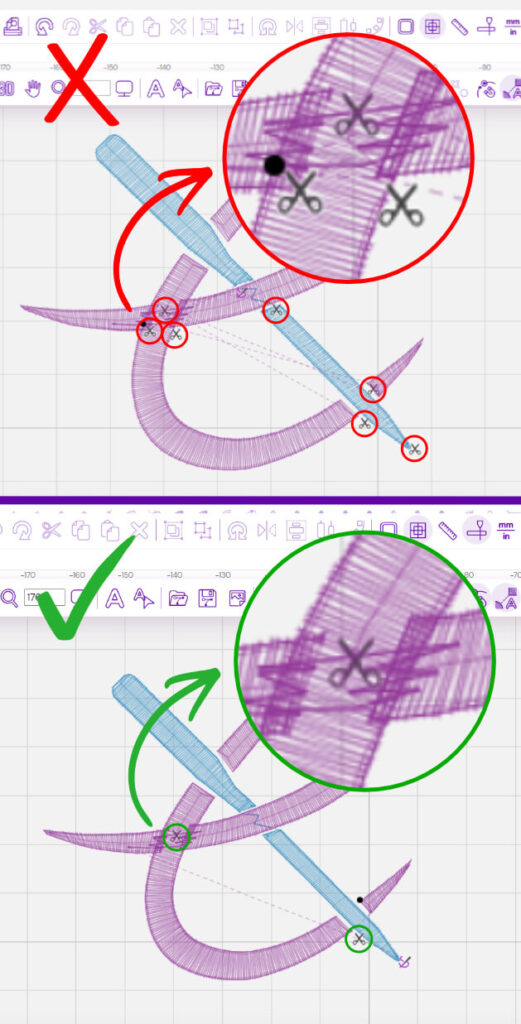
A trim is a machine command that cuts and ties off the thread before moving to another area of a design. Trims are sometimes necessary, but excessive trims slow down production and interrupt smooth stitch flow.
Jump Stitch
A jump stitch is a length of thread that connects two separate areas of a design without trimming. The machine creates jump stitches when it moves between objects. They can affect the design’s appearance and add cleanup time.
Unnecessary Trims
Unnecessary trims are extra trim commands caused by poor design planning or inefficient pathing. These trims increase stitch time, reduce efficiency, and can contribute to rough or inconsistent embroidery results.
Production Efficiency
Production efficiency describes how well a digitized design runs on an embroidery machine with minimal stops, trims, and slowdowns. Efficient designs stitch faster, reduce machine stress, and produce more consistent results over time.
Software and Workflow Terms
Software and workflow terms describe how digitized designs are created, stored, and prepared for embroidery machines. These definitions explain common file and setting terms without focusing on specific tools or step-by-step software instructions.
Native Files
A native file is the original, fully editable file created within embroidery digitizing software, such as JDX or EMB formats. Native files retain:
- Object data
- Stitch properties
- Settings
Making them essential for:
- Editing
- Resizing
- Adjusting a design in the future.
Machine File
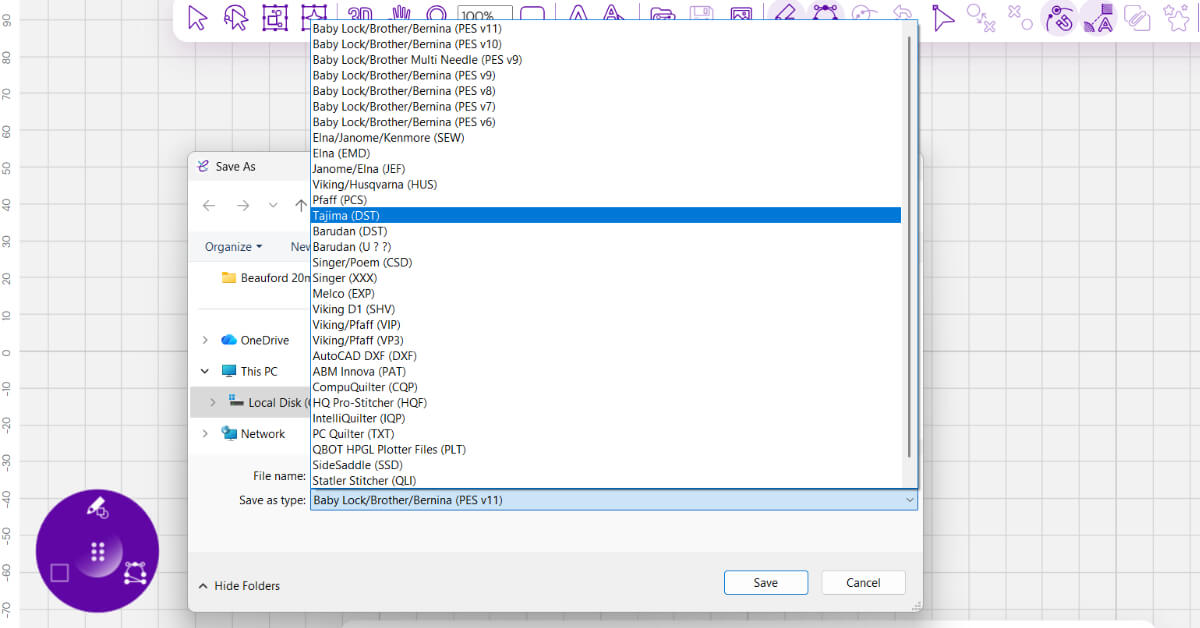
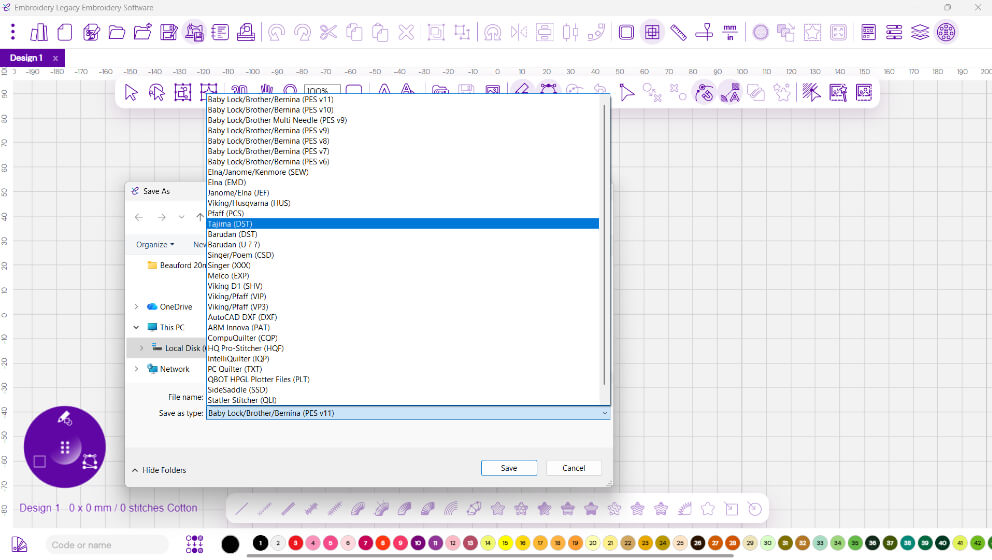
A machine file is a stitch-ready file format used by an embroidery machine to sew a design. Machine files contain stitch instructions but do not retain editable object information, which limits future design changes.
Common machine file formats correspond to specific embroidery machine brands, as shown below:
| Machine File Format | Common Machine Brands |
|---|---|
| DST | Tajima, Brother (Commercial), Basundan, SWF, Melco, Poolin |
| PES | Brother, Baby Lock |
| JEF | Janome |
| HUS | Husqvarna Viking |
| VP3 | Husqvarna Viking, Pfaff |
| EXP | Melco |
| XXX | Singer |
| PCS | Pfaff |
| SEW | Janome (older models) |
Understand Machine Embroidery File Formats with our complete guide.
Fabric Recipes
Fabric recipes are preset groups of stitch settings designed for specific fabric types. They automatically apply appropriate properties, such as density, underlay, and compensation, to help designs stitch more reliably across different materials.
Default Settings
Default settings are the standard property values applied by embroidery software when a new design or object is created. They provide a starting point, but digitizers adjust them for fabric type, stitch layering, and design needs.
Property Settings
Property settings are adjustable parameters that control how stitches behave, including density, stitch length, direction, and compensation. These settings work together to determine stitch quality, flexibility, and performance.
Why Understanding Digitizing Terms Matters
Learning embroidery digitizing terms isn’t about memorizing definitions. When you understand what’s happening under the needle, and the key terms make sense. You’ll be able to spot problems early and judge design quality with confidence.
This knowledge helps you create cleaner embroidery, reduce production issues, and communicate more effectively with digitizers or software tools. It also allows you to use embroidery software with intention, rather than relying on default settings and guesswork.
Want to go beyond definitions and learn the “why” behind stitches? Our Free Digitizing 101 Course teaches the foundational theory that turns confusing terms into practical understanding.
Ready to take the next step? Explore all that our next-generation Embroidery Digitizing Software has to offer. Our beginners friendly software and education helps you get over the learning curve and creating custom embroidery design in no time.